
Download VideoSnack – AI‑Powered Video to Text Converter, Free & Secure
Overview: Why VideoSnack is a Game‑Changer for Content Creators
In the fast‑paced world of digital marketing, repurposing multimedia into written content is no longer a luxury—it’s a necessity. VideoSnack steps into this gap as an innovative AI writing assistant that transforms YouTube, Loom, and other video or podcast links into polished, ready‑to‑publish articles in under a minute. The platform is built for bloggers, agencies, and content managers who need to extract value from existing video assets without spending hours on manual transcription.
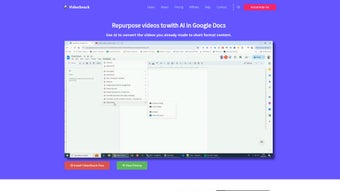
By simply pasting a video URL, VideoSnack analyzes the audio, removes filler words, highlights key information, and then delivers a structured draft that can be customized for length, tone, and language—supporting over 30 languages. The tool also embeds an SEO analysis engine and an AI writer sidebar, enabling creators to fine‑tune headlines, meta descriptions, and keyword density directly within the workspace. Export options to Google Docs and WordPress streamline the publishing workflow, making the whole process—from video to live article—seamless and efficient.
Whether you’re looking to boost newsletter content, generate blog posts, or enrich your knowledge base, VideoSnack offers a secure, cloud‑based solution that keeps your data private while delivering rapid results.
Core Features & Compatibility: What Sets VideoSnack Apart
- Instant Video‑to‑Text Conversion: Generates a full article in ≤60 seconds after URL paste.
- AI‑Driven Filler Word Removal: Cleans up speech patterns for a professional reading experience.
- Key Insight Extraction: Highlights main points, quotes, and actionable takeaways.
- Customizable Output: Adjust content length, tone of voice (formal, casual, persuasive), and select from 30+ languages.
- Built‑In SEO Analyzer: Provides keyword suggestions, readability scores, and meta‑tag recommendations.
- AI Writer Sidebar: Real‑time suggestions for headings, bullet points, and transition sentences.
- Export Options: Directly send drafts to Google Docs, WordPress, or download as .docx/.txt.
- Collaboration Tools: Share drafts with team members for comments and approvals.
- Secure Cloud Processing: End‑to‑end encryption ensures that your video URLs and generated text stay private.
- Multi‑Platform Support: Works on any modern browser, with mobile‑optimized UI for iOS and Android devices.
Operating System Compatibility – VideoSnack is a web‑based SaaS platform, meaning it runs flawlessly on Windows, macOS, Linux, and ChromeOS as long as you have a recent version of Chrome, Firefox, Safari, or Edge. For on‑the‑go creators, the responsive design adapts to smartphones and tablets, providing a consistent experience across iOS and Android devices. Because all processing happens in the cloud, there are no heavyweight downloads or local installations required, keeping your device’s storage free and your workflow lightweight.
The platform’s AI models are continuously updated to recognize emerging speech patterns, new slang, and evolving SEO best practices. Users receive these updates automatically, ensuring that every conversion benefits from the latest improvements without manual patching. This “always‑up‑to‑date” approach is especially valuable for agencies handling multiple client accounts, as it guarantees uniform quality across all generated content.
Installation & Usage Instructions: From Link Paste to Published Post
Getting started with VideoSnack is intentionally frictionless. Follow these steps to launch your first conversion:
- Create a Free Account: Visit videosnack.io and sign up using an email address or single‑sign‑on (Google, Microsoft). The free tier offers up to 10 conversions per month, ideal for testing.
- Verify Your Email: A verification link will land in your inbox. Click it to activate your account and unlock the AI writer sidebar.
- Choose a Plan (Optional): For unlimited conversions, SEO reports, and team collaboration, upgrade to the Pro or Enterprise plan. Pricing is transparent and billed monthly or annually.
- Paste Your Video URL: On the dashboard, locate the “Convert Video” box. Paste a YouTube, Loom, Vimeo, or direct MP4 link. The system automatically fetches the audio track.
- Select Output Preferences: Choose the desired language, tone, and length (short summary, standard article, or long‑form piece). Toggle “Remove Filler Words” and “Highlight Key Points” as needed.
- Generate & Review: Click “Convert”. Within 60 seconds, a draft appears in the editor. Use the AI writer sidebar to refine headings, insert calls‑to‑action, or improve readability.
- Run SEO Analysis: Activate the SEO tab to receive keyword density suggestions, meta description drafts, and a readability score. Make adjustments directly in the editor.
- Export or Publish: Choose “Export to Google Docs”, “Publish to WordPress”, or download as a Word file. For WordPress, you can connect your site via API key for one‑click publishing.
- Share with Team: Click “Share Draft” to generate a secure link. Team members can comment or approve without needing a separate VideoSnack account.
Best Practices for Optimal Results – While VideoSnack’s AI is robust, feeding clear audio yields the best text. Ensure your video’s sound quality is high, and avoid background music that masks speech. For podcasts, use a dedicated transcript file if available; the platform can ingest .srt or .vtt files to boost accuracy. Additionally, customize the “tone of voice” setting to match your brand’s style guide, which helps maintain consistency across multiple pieces of content.
The platform also includes a “History” tab where all past conversions are saved for up to 90 days, allowing you to revisit and re‑export older drafts. This feature is particularly useful for agencies that need to archive client work or re‑use content for seasonal campaigns.
Pros and Cons: A Balanced Look at VideoSnack
Pros
- Lightning‑fast conversion—articles appear in under a minute.
- AI‑powered filler removal and key‑point extraction improve readability.
- Supports 30+ languages, making it ideal for global teams.
- Integrated SEO analyzer saves time on keyword research.
- Seamless export to Google Docs and WordPress accelerates publishing.
- Web‑based, no heavy software download; works on all major OS and mobile.
- Secure cloud processing with end‑to‑end encryption.
- Collaboration tools enable team reviews without extra software.
- Free tier available for occasional users or testing.
- Continuous AI updates ensure cutting‑edge transcription accuracy.
Cons
- Free plan limits conversions to 10 per month, which may be restrictive for power users.
- Accuracy can dip with heavily accented speech or low‑quality audio.
- Advanced SEO reports are only available on paid tiers.
- Export formats are limited to Google Docs, WordPress, .docx, and .txt.
- No native desktop application for offline use.
Frequently Asked Questions
How does VideoSnack handle copyrighted video content?
VideoSnack processes only the audio stream of a video you provide via a public URL. The platform does not download or store the original video file; it extracts the speech, runs it through AI transcription, and discards the raw audio after the text is generated. This design respects copyright by ensuring that the source video remains on its host platform, and you should only convert content you own or have permission to use.
Can I convert a private YouTube video or a password‑protected Loom link?
Yes, as long as you are logged into the same account that has access to the private video, VideoSnack can authenticate via OAuth when you paste the link. For Loom, you can generate a shareable link with view permissions and paste it into the converter. The platform respects the original access controls and will not bypass any protection mechanisms.
Is there a limit to the length of the video I can convert?
The free tier limits each conversion to videos up to 30 minutes. Paid plans raise this limit to 2 hours per video, and Enterprise customers can request custom limits for longer webinars or conference recordings.
How does the SEO analysis feature work?
After the draft is generated, the SEO module scans the text for target keywords, evaluates keyword density, checks heading structure, and calculates a readability score (Flesch‑Kincaid). It then provides actionable suggestions—like adding synonyms, adjusting meta descriptions, or breaking up long paragraphs—to improve search engine visibility. The analysis updates in real time as you edit the content.
What payment methods does VideoSnack accept for the paid plans?
VideoSnack accepts major credit cards (Visa, MasterCard, American Express), PayPal, and Apple Pay for monthly or annual subscriptions. Enterprise contracts can be invoiced with net‑30 terms upon request.
Conclusion: Should You Download VideoSnack Today?
VideoSnack bridges a critical gap in modern content strategies by turning video assets into SEO‑friendly written pieces in seconds. Its AI engine, multilingual support, and built‑in SEO tools make it a compelling choice for anyone looking to maximize the ROI of existing multimedia. While the free tier’s conversion cap may be limiting for heavy users, the paid plans deliver robust features, higher limits, and advanced analytics that justify the modest subscription cost.
For agencies managing multiple client channels, the collaboration suite and direct WordPress publishing streamline workflows and reduce turnaround times dramatically. In short, if you regularly produce videos, podcasts, or webinars and want to repurpose that material into blogs, newsletters, or landing‑page copy without hiring a transcription service, VideoSnack is a secure, efficient, and cost‑effective solution. Download VideoSnack now, start a free trial, and see how quickly your video content can become high‑impact written assets.



.png)



